

For the past 6+ years the Digital team at Adur & Worthing have been building services and applications to support residents and internal teams using a low-code development platform called Liberty Create from Netcall.
We’ve previously experimented with how much other teams can build on the system. This has been a good trial but ultimately we found it difficult to wrap our change process, control measures and development support around staff outside of the core team.
As our ideas advanced and the platform matured, we’ve now been able to create a no-code form builder using low-code development. This means that service teams can now create their own public facing forms without any coding experience and without learning the functionality of the platform.
Roll back to 2005 and the councils were starting to adopt forms software. Possibly the start of digital transformation, this helped capture requests from customers and provide some basic structure to the information. These used a client side application to publish a web based form — it took time, training and technical skill to create.
Over the past few years we’ve been working in the background to off-board over 150 of these types of forms. Where we’ve had a project with a service team, we’ve always tried to incorporate the form into a full end to end process, re-evaluating the user experience and giving us some analytics data. Where this hasn’t been possible we’ve had to create a like for like until we have time to work more in-depth with a service. Unfortunately this just shifts the technical debt, although it does allow us to consolidate our systems and reduce the skills and knowledge required to support additional platforms. Other forms, of course we have managed to retire.
All this work though, has fallen on the Digital team to build and support. So we’ve developed a no-code form builder within our low-code platform. This builds on a central government service called MoJ Forms, but goes further by allowing our forms to be automatically sent and processed in platforms our teams already use day-to-day. We’re hoping this now opens non-technical staff to design and deploy forms without getting bogged down in coding.
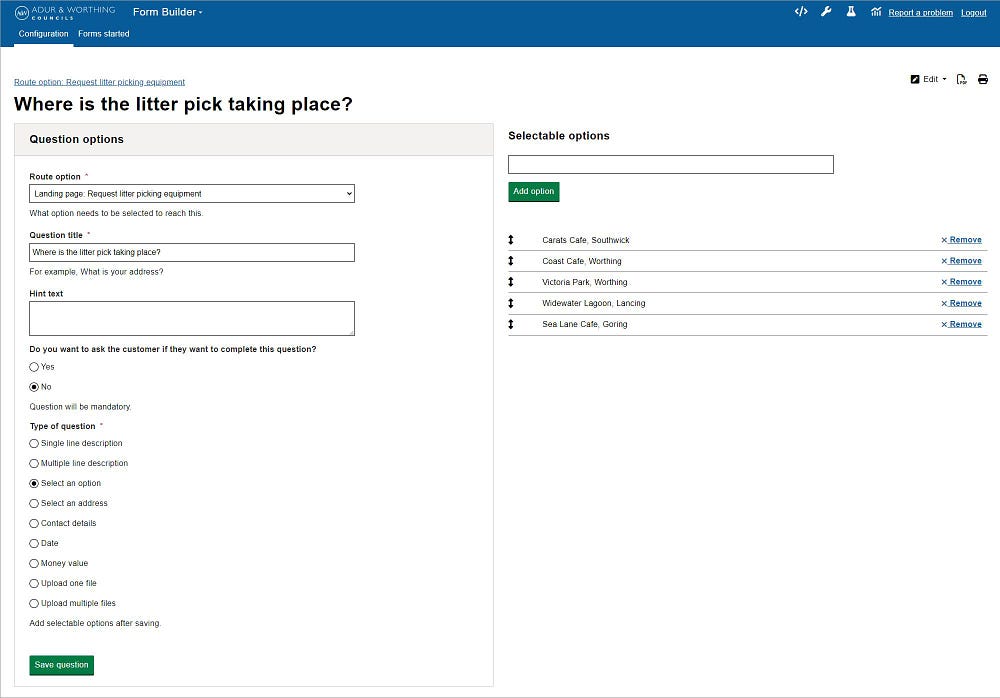
A simple process of creating a name for the service and adding content to a landing page. Then adding questions with the correct data type and selecting the routing of the answer.
Triaging Enquiries
We’ve designed the form builder so we can also triage user requests to deflect common queries. For example, an answer can be routed to a content webpage, some text content, another form or the next question. This has helped us start to build a general enquiries form.
Automatic Document Indexing
Incoming requests can be automatically indexed to our team’s document management system. We are aiming to link up to our Citizen Hub platform too.
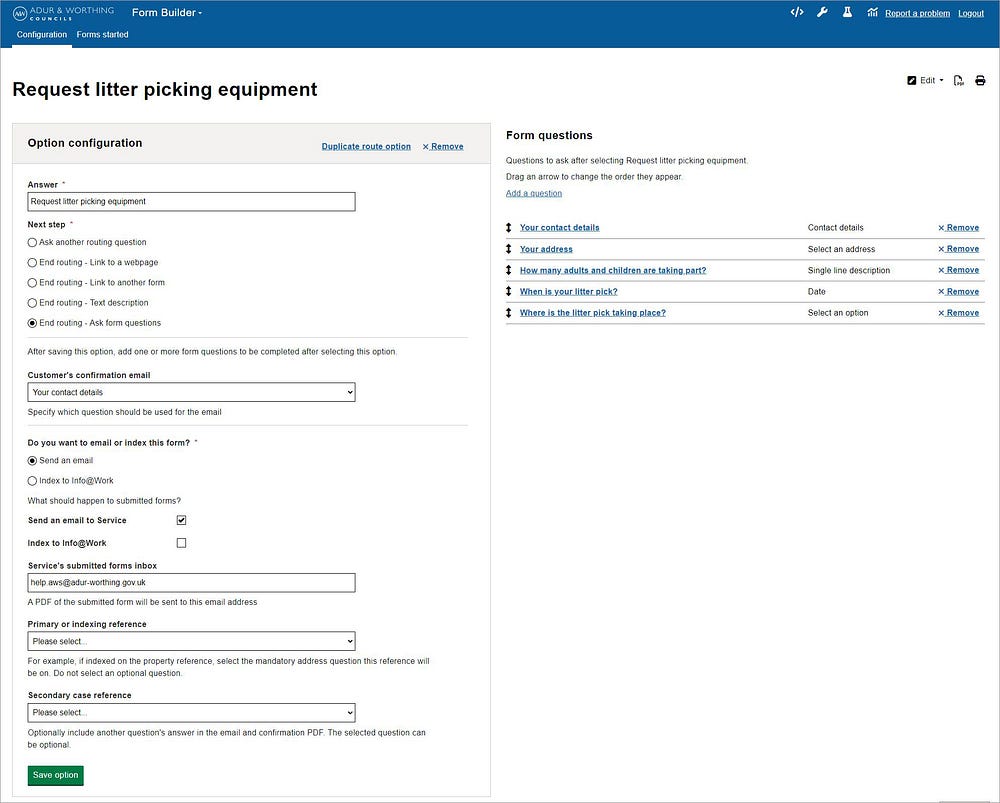
Self-Service and Internal Forms on One Platform
As well as creating self-service forms for customers to use, our form builder can also be used by the contact centre to tweak and create internal forms for use by our contact centre agents in our customer relationship manager. This allows the contact centre to adapt forms quickly based on agent feedback or new demand.
User Feedback and Analytics
We capture feedback during any stage of a new form to make sure there aren’t any pain points or blockers. This also monitors for bounce rate from each step of the form. A quick survey at the end of the form gives us important data about how easy customers feel the form was to complete.

Testing and Launching a Form
Forms can be created in our build environment, tested and then the full configuration downloaded in a text file to be uploaded into live.
By placing the power of form creation in the hands of internal service teams we’re hoping for a more efficient resolution of queries or requests.